The Markdy playground is a browser workspace for learning and testinganimated architecture diagrams as code. It is built for the practical loop most developers need: start from a real scene, edit the text, watch the animation, fix warnings, and share a link.
Why a dedicated playground?
A small homepage demo is useful for a first impression, but serious authoring needs room. The dedicated playground gives the editor and preview the full width of the page, with an adjustable split so you can make the code pane wider while learning syntax or make the preview larger while checking motion and labels.
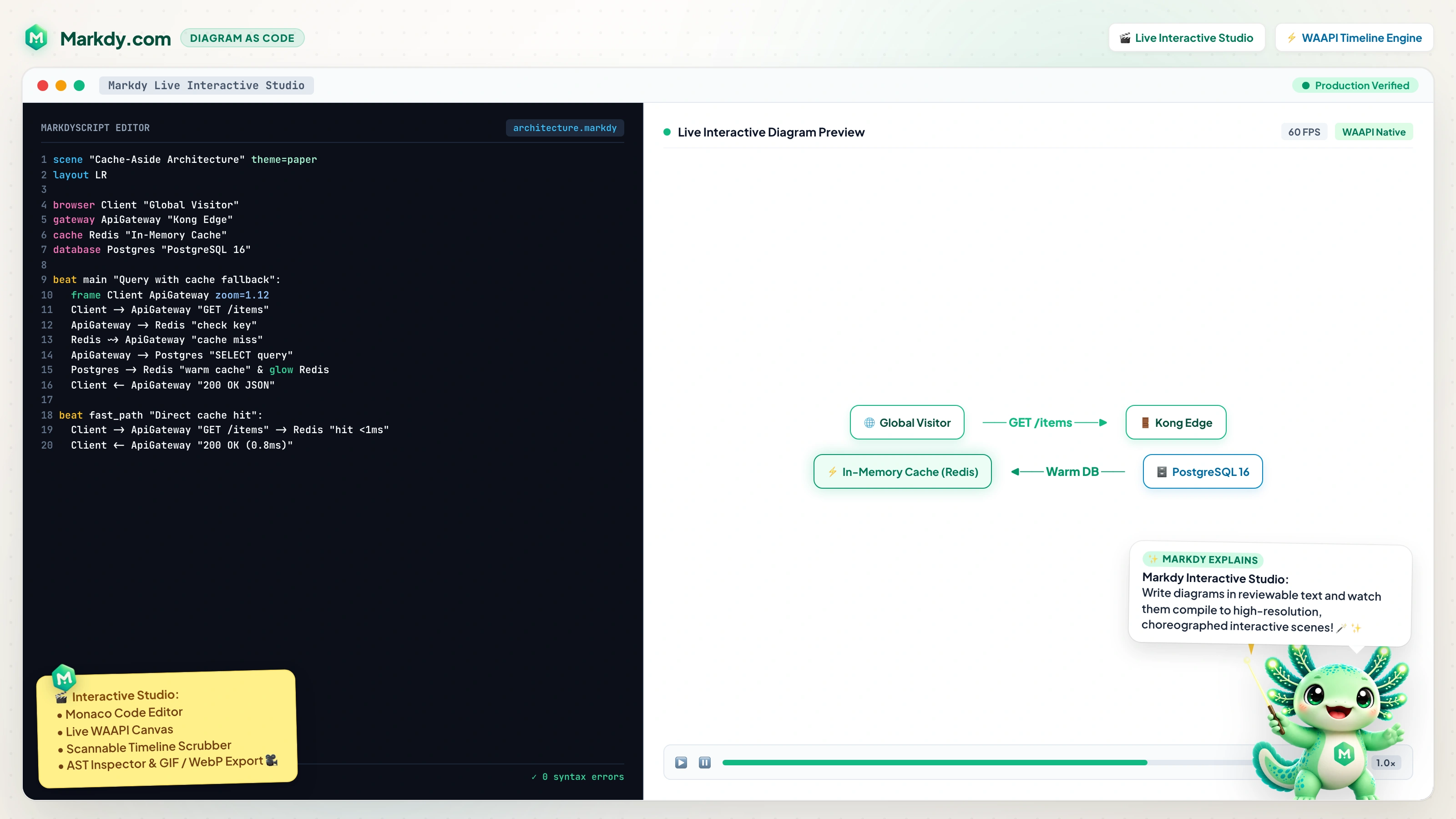
- More space to read code. The MarkdyScript editor is one of the two main panes, not a sidebar.
- More space to inspect motion. The animated preview can be expanded by dragging the split.
- Examples stay nearby. Curated scenes live in a top strip so they do not steal editor or preview space.
- Learning snippets are one click away. Insert common patterns for reveal beats, frame cues, request/response flows, and loop resets.
What you can do in the playground
The playground is not just a static text box. It is a full MarkdyScript feedback loop:
The curated examples include the focused flowchart, tree, state,sequence, and constellation modes, plus the flat editorial andnebula themes, so you can compare compositions before adding a scene to your own docs.
| Task | How the playground helps |
|---|---|
| Learn the DSL | Use syntax highlighting, autocomplete, examples, and insertable snippets. |
| Test AI-generated diagrams | Paste generated MarkdyScript and inspect parse errors or reference warnings. |
| Review animation timing | Play, pause, restart, scrub the timeline, and jump directly to named beats. |
| Share a scene | Copy a shareable URL with the scene encoded in the hash. |
A small scene to try
Paste this into the playground. It demonstrates nodes, a group, a labeled beat, a camera frame, request/response flow, and a compact viewer contract.
scene "Order Processing System" theme=paper
layout LR

browser Client "Web Client"
gateway Gateway "API Gateway"
service OrderService "Order Service"
database Postgres "PostgreSQL 16"
queue Kafka "Kafka Event Bus"

group app "Application Tier": Gateway OrderService
group data "Persistence Tier": Postgres Kafka

beat reveal "1. Reveal System Topology":
  show $nodes stagger=60ms

beat checkout "2. Process Checkout & Stream Event":
  frame app data zoom=1.12 dur=600ms
  Client -> Gateway "POST /checkout" -> OrderService "process"
  OrderService -> Postgres "INSERT order"
  OrderService ~> Kafka "order.created"
  Client <- Gateway "201 Created"
  glow Postgres color=#38bdf8 & glow Kafka color=#f59e0b

beat reset "3. Return to Overview":
  frame $nodes dur=600ms

player:
  playback:
    loop false
  controls:
    speed true
    speeds "0.5 1"
    fit true
    fullscreen true
    share true
  interaction:
    zoom true
    pan true
    double_click_to_reset true
  chrome:
    badge true
    progress boundary
Let the script own its player
The grouped player: block travels with the diagram through the playground, CLI, Astro, MDX, and the DOM renderer. Controls are explicit opt-ins. rate sets the initial playback multiplier;speeds supplies viewer choices, so the selector appears only when at least two distinct positive values are available. Controls stay on the footer's left; the linked Powered by Markdy badge stays right.
Best practices while experimenting
- Keep labels short. Edge labels are easiest to read when they are specific but compact.
- Use beat labels. A beat label becomes a caption that explains what the viewer is seeing.
- Frame attention. Use
frame groupNameto guide the viewer through a complex system. - Reset before looping. Add
frame $nodesnear the end so the next loop starts from the whole diagram. - Fix diagnostics before sharing. Unknown node or group warnings usually mean a typo in a flow, group, or cue target.
How it fits with docs and local development
Use the playground for fast iteration. Once the scene feels right, copy the source into a .markdyfile and validate it with the CLI:
pnpm add -D @markdy/cli
pnpm markdy lint architecture.markdy
pnpm markdy fmt architecture.markdy --check
pnpm markdy render architecture.markdy --out architecture.html
For deeper syntax details, open the docs or theAI agent guide. For comparisons, read Markdy vs Mermaid andDiagram as Code: The Complete Guide.